Selasa, 10 September 2013

Google Tests a New Logo

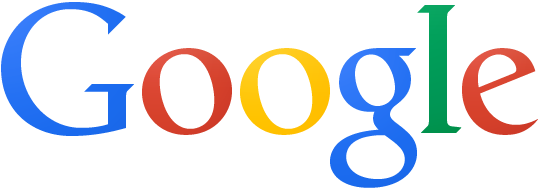
Not only Marissa Mayer and her team at Yahoo worked on a new logo. Google also tests a new logo that's flat, minimalist, fresher and reduced to its essence, as Sir Jonathan Ive would say.


Here's the existing logo from the Google homepage:


This reminds me of Chrome, which switched from the original 3D logo to a flat logo back in 2011. "We're working on refreshing the icon to better represent the speed and simplicity of the modern browser and operating system," said Google at that time.

Update: The Verge reports that "a person familiar with Google's branding [says that] this is not a replacement for the company's traditional logo. Instead, the flatter design is used in instances where the beveled logo may not display well — such as on printed banners or other corporate use cases."

{ Thanks, Rubén and Artem. }

Google Tests Card-Style News OneBox

Google tests a card-style interface for the Google News OneBox. It's bigger, snippets are shorter, there's a lot of white space and the link to Google News search results is placed at the bottom of the card.

Here's a screenshot of a Google France search results page:


{ Thanks, Frédéric. }

Automatically Share Blogger Posts on Google+

For some reason, Google doesn't make it easy to automatically post content to Google+. You can't add the URL of a feed and import the posts from a blog. There's an exception: Blogger.

If you've integrated Blogger with Google+, you probably noticed a Google+ sharing box after publishing a post. It only required one click to share the post on Google+.


Now you can get even lazier: enable "Automatically share after posting" in Blogger's Google+ section and your posts will be shared automatically.


Google says that "automatic sharing to Google+ is enabled by default on all public blogs linked to Google+ pages or profiles. When you publish a blog post, a snippet of the post will automatically be shared publicly on your Google+ page or profile." That's probably true for new blogs, but it wasn't true for my blog: I had to manually enable "Automatically share after posting".

You can still enable "Prompt to share after posting" if you like to see the Google+ sharing box. Disable both options if you don't want to share your posts on Google+. Blogger also adds "share" links next to "edit", "view" and "delete" and you can use this feature to manually share posts on Google+.

Update: This feature is buggy. Here's what I got after publishing this post:


{ via Blogger Buzz }

Better Gmail for Feature Phones

There are still a lot of people who use feature phones and Google decided to improve the Gmail interface for these phones. The new version is closer to the smartphone UI, but it doesn't use AJAX, so you have to load a new page every time you perform an action.

"You'll get a number of improvements that reduce the number of button presses required to read, reply and compose emails. For example, you can reply directly to a message from the thread view, you can choose to move to the previous or next conversation, and much more," explains Google.


Gmail used to have a Java app for feature phones, but this is no longer available, at least not officially. Probably the best option to read your messages on a feature phone is to install Opera Mini and use the mobile Gmail site. Speaking of Opera Mini, you'll get the same "feature phone" Gmail interface even if you use an iPhone or an Android phone.

Kamis, 05 September 2013

Gmail's Option for Excluding Chats from Search Results

Gmail's advanced search box has a new option: "don't include chats". If you click the checkbox, Gmail will append to your query: "-in:chats".


To see the advanced search box, click the small arrow icon from the Gmail search box. It's an easy way to use powerful Gmail features if you don't want to manually add operators like from:, to: or has: to your searches. You can also create filters.

Google's Welcome Message for the New Navigation Interface

Google now shows a welcome message next to the app launcher icon: "Welcome to the new way to find your favorite Google products. Click the grid to have a look."


The app launcher will replace the black navigation bar. For now it's still an experiment and you can enable it in Chrome. Google will have a special interface for Chrome and the Google homepage will replace the new tab page.


In other news, Google's CSS sprite now has a high-resolution version that's great for devices like Retina Macbook Pro or Chromebook Pixel. All the icons, buttons, arrows and logos will look better.

Senin, 02 September 2013

Google Play's Unicorns Easter Egg

Google Play has a cool Easter Egg: click the search button without entering a query and you'll get results for "unicorns". This works for books, music, movies, magazines, apps and even devices.


{ Thanks, D4Ni. }